Developer AI: Navigating the Future of Code Creation
As the landscape of software development continues to evolve, Developer AI emerges as a transformative force, enabling developers to write code more efficiently and effectively. This sub-category of AI & Automation Tools focuses on the application of artificial intelligence to assist in the coding process, ultimately enhancing productivity and creativity. When exploring Developer AI, it’s essential to understand the various tools available, how they differ, and what factors to consider when making a choice.
The Buying Lens for Developer AI
When evaluating Developer AI tools, several key considerations come into play. First and foremost is the specific needs of your development environment. Are you looking for tools that integrate seamlessly with your existing workflow? Understanding the compatibility of these AI tools with your preferred programming languages and software development environments is crucial.
Another important factor is the level of assistance you require. Some developers may benefit from comprehensive support that includes code suggestions, error detection, and debugging assistance, while others might only need basic autocompletion features. Assessing your skill level and the complexity of the projects you typically work on will help guide your choice.
Moreover, it’s vital to consider the learning curve associated with each tool. While many Developer AI solutions are designed to be user-friendly, some may require a deeper understanding of AI and coding principles. Be sure to evaluate the resources available for onboarding and support, such as documentation, tutorials, and community forums.
Exploring Leaf Categories
Within the Developer AI hub, two primary leaf categories stand out: Terminal AI Assistants and IDE Autocompletion. Each serves a distinct purpose and caters to different user needs.
Terminal AI Assistants are designed for developers who prefer working directly within the command line interface. These tools offer intelligent suggestions, automate repetitive tasks, and help streamline workflows by providing contextual assistance based on the commands being executed. Terminal AI Assistants are particularly beneficial for seasoned developers who are comfortable with command-line operations and seek to enhance their productivity through advanced AI capabilities.
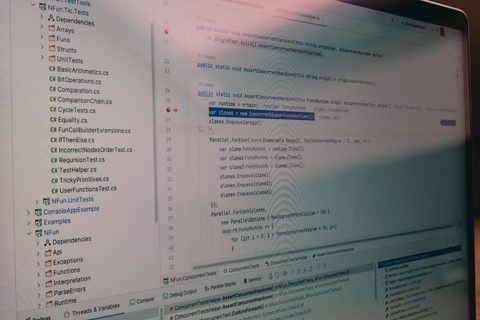
On the other hand, IDE Autocompletion tools are integrated into integrated development environments (IDEs) and focus on enhancing the coding experience within graphical interfaces. These tools provide real-time code suggestions, syntax highlighting, and error detection as you type. IDE Autocompletion is ideal for developers of all skill levels, especially those who appreciate visual feedback and interactive coding environments. Beginners may find these tools particularly helpful as they learn to code, while experienced developers can benefit from the speed and accuracy they offer.
Where to Start and Common Mistakes to Avoid
If you're new to Developer AI, a good starting point is to identify your primary development environment and the specific challenges you face in your coding process. Begin by exploring IDE Autocompletion tools if you work primarily within a graphical interface, as they can quickly enhance your coding efficiency. Conversely, if you are comfortable with the command line, consider diving into Terminal AI Assistants.
A common mistake to avoid is underestimating the importance of integration. Many developers overlook how well a tool will fit into their existing workflows and tools. Before making a decision, ensure that the AI solution you choose can integrate smoothly with your current setup, whether that’s an IDE or a terminal environment. This will save you time and frustration down the line.
In conclusion, Developer AI represents a significant advancement in how developers approach coding. By understanding the nuances of the available tools and carefully assessing your needs, you can leverage these technologies to enhance your coding experience and productivity.