
Understanding Computing Hardware
When it comes to computing hardware, the choices can be overwhelming. This category encompasses a range of devices designed to meet various needs, from casual browsing to high-performance gaming. Understanding what matters most in this realm is crucial for making informed decisions. Factors such as performance, portability, and intended use should guide your selection process. Whether you're a student, a professional, or a gamer, identifying your primary requirements will help narrow down your options effectively.
Key Considerations in Computing Hardware
-
Performance: The performance of a computing device is often dictated by its processor, RAM, and storage type. For basic tasks like web browsing or document editing, a lower-end processor may suffice. However, for graphic-intensive applications or gaming, a powerful CPU and a dedicated GPU are essential.
-
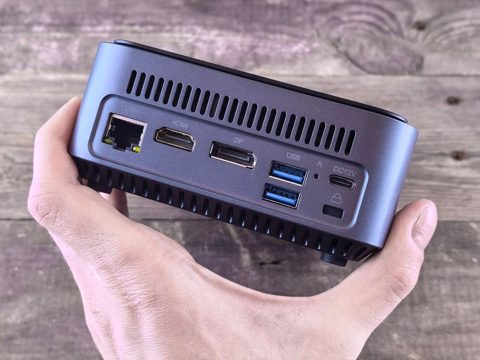
Portability: If you need to work on the go, portability becomes a significant factor. Laptops and notebooks are designed for mobility, while desktops offer more power and upgradeability but are stationary. Mini PCs strike a balance, providing compact designs that can fit in small spaces while still delivering solid performance.
-
Use Case: Your intended use will heavily influence your choice. For instance, students may prefer lightweight laptops for easy transport, while professionals may seek powerful desktops for demanding workloads. Mini PCs can serve as versatile solutions for both casual users and home entertainment setups.
Exploring the Leaf Categories
To help you navigate the computing hardware landscape, we've broken down the main categories:
-
Laptops & Notebooks: These devices are ideal for users who require portability without sacrificing performance. They come in various sizes and configurations, catering to different needs—from ultrabooks for light tasks to gaming laptops equipped with powerful graphics cards.
-
Desktop Computers: Desktops offer superior performance and upgradeability, making them suitable for gamers, content creators, and professionals who need robust processing power. They typically provide better thermal management and can accommodate larger components than their portable counterparts.
-
Mini PCs: Mini PCs are compact systems that deliver adequate performance for everyday tasks while occupying minimal space. They are perfect for users who want a desktop experience without the bulk, often used in home entertainment setups or as secondary devices.
Where to Start
When venturing into the world of computing hardware, it’s essential to start with a clear understanding of your needs. Begin by asking yourself what tasks you will primarily use the device for. Will you be gaming, working from home, or simply browsing the internet? This will help you determine the specifications necessary for your device.
A common mistake to avoid is underestimating the importance of future-proofing your purchase. Technology evolves rapidly, and what may seem adequate today could become obsolete quickly. Consider investing in a device that offers upgrade options or higher specifications than you currently need. This way, you can extend the lifespan of your hardware and ensure better performance for future applications.
In conclusion, understanding the landscape of computing hardware is crucial for making a well-informed purchase. By evaluating your performance needs, portability preferences, and intended use, you can navigate through the various options available. Whether you choose a laptop, desktop, or mini PC, being mindful of your requirements will lead to a more satisfying and effective computing experience.