

The Buying Lens for Peripherals & Accessories
When it comes to enhancing your computing experience, peripherals and accessories play a pivotal role. These devices, which connect to your computer or mobile device, can significantly influence productivity, comfort, and overall user satisfaction. Understanding what to look for when shopping in this category is essential for making informed decisions.
Key Considerations When Buying Peripherals
-
Compatibility: Before purchasing any peripheral, ensure that it is compatible with your existing hardware. This includes checking connection types (USB, Bluetooth, etc.) and whether the device is designed for your operating system (Windows, macOS, Linux, etc.). Compatibility issues can lead to frustrating experiences and wasted investment.
-
Ergonomics and Comfort: For items like keyboards and mice, ergonomics can greatly affect your comfort during extended use. Look for features that promote good posture and reduce strain, such as adjustable height, wrist rests, or contoured designs. This is particularly important for users who spend long hours at their desks.
-
Performance and Features: Depending on your needs, you may prioritize different features. Gamers, for example, might look for high DPI settings and customizable buttons in mice, while professionals may value quiet keys and programmable shortcuts in keyboards. Monitors may require consideration of resolution, refresh rate, and screen size based on your usage—be it gaming, graphic design, or general productivity.
Exploring the Leaf Categories
Keyboards & Mice
The Keyboards & Mice category encompasses a variety of input devices that cater to different user preferences and needs. Mechanical keyboards, for instance, are favored by gamers and typists for their tactile feedback, while membrane keyboards are quieter and often more affordable. For mice, options range from simple, wired models to advanced wireless gaming mice with customizable features. Choosing the right keyboard and mouse can enhance your typing speed and accuracy, making it a crucial starting point for any setup.
Monitors
The Monitors category is essential for visual output, impacting everything from productivity to entertainment. Monitors come in various sizes, resolutions, and technologies (such as IPS, TN, or OLED), each suited for different tasks. For instance, graphic designers may prefer high-resolution monitors with accurate color reproduction, while casual users might opt for standard HD displays. Understanding the purpose of your monitor—whether for gaming, professional work, or general use—will guide your selection.
Portable Storage
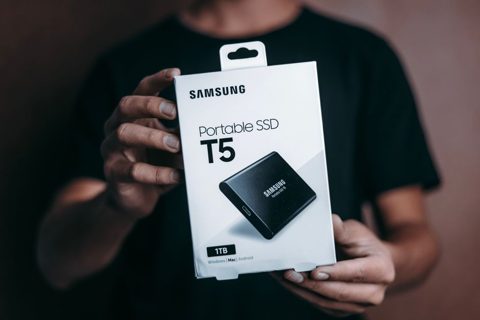
In an age where data is paramount, the Portable Storage category provides solutions for data transfer and backup. Options include USB flash drives, external hard drives, and SSDs, each varying in capacity and speed. When selecting portable storage, consider how much data you need to store, the speed of data transfer, and the durability of the device. This category is particularly important for users who travel frequently or require backup solutions for critical files.
Where to Start and Common Mistakes to Avoid
Starting your journey in the peripherals and accessories category can be overwhelming due to the plethora of options available. A good approach is to assess your current setup and identify areas that need improvement. Are you struggling with an uncomfortable keyboard? Is your monitor too small for multitasking?
One common mistake to avoid is prioritizing aesthetics over functionality. While a sleek design can be appealing, it should not come at the cost of comfort and usability. Focus on features that will enhance your experience rather than merely how a device looks on your desk.
By understanding the distinct categories and their specific purposes, as well as keeping in mind the key considerations when making a purchase, you can create a more efficient and enjoyable workspace tailored to your needs.